Restaurant billing software is the tool your counter uses to turn an order into a correct, GST-ready bill, a kitchen ticket and an end-of-day report. Pick the wrong one and you feel it every evening: slow bills at the rush hour, a printer that will not connect, or a report your accountant cannot use. This guide shows you what to check, what to ask and how to test before you pay.
What does restaurant billing software actually do?
At its simplest, it replaces the bill book and the calculator. At its best, it connects the counter, the kitchen and your accounts so nobody types the same thing twice. Most products you will see, whether they call themselves a restaurant billing app or a full POS, cover the same core jobs:
- Billing: build a bill from your menu, apply discounts, split payments across cash, UPI and card, and print or share the bill.
- GST invoices: add the tax lines your accountant needs and keep a numbered record of every bill.
- KOT (kitchen order ticket): send each order to the kitchen printer or screen so the cook is not working from shouted instructions.
- Table and order types: handle dine-in tables, takeaway and delivery orders in one place.
- Reports: daily sales, item-wise sales, payment mode totals and cancelled or discounted bills.
- Inventory basics: track main ingredients or packaged items and warn you when stock runs low. Many cheaper tools do this only lightly.
Write down which of these you use today. A single-counter tea shop and a 40-seat family restaurant need very different things, and the list keeps you from paying for modules you will never open.
Do you need a full POS or a simple billing app?
The name on the box matters less than how the software fits your floor. A billing app on one phone or tablet is enough for a small cafe with one counter. A full POS with KOT routing, table management and multi-device sync matters once you have a kitchen, several billing points or waiters taking orders at tables.
| Your setup | What usually fits | Watch out for |
|---|---|---|
| One counter, takeaway-heavy, one device | Simple billing app on a phone or tablet | Limited reports, one-device licence |
| Dine-in with kitchen, 1 to 2 billing points | Cloud POS with KOT printing and tables | Printer compatibility, internet dependence |
| Several outlets or a cloud kitchen | Multi-outlet POS with central reports | Per-outlet fees, setup and training time |
Be honest about where you will be in a year. If you are opening a second outlet soon, ask now how a second outlet is added and billed, so you do not migrate your menu and history twice.
Which features should be on your restaurant billing software checklist?
Features are easy to list and hard to compare. Turn them into a pass or fail checklist and run every vendor through the same one. Here is a practical set for a small restaurant or cafe billing software search:
- Works when the internet drops. Billing should continue offline and sync later. Ask exactly which functions still work offline.
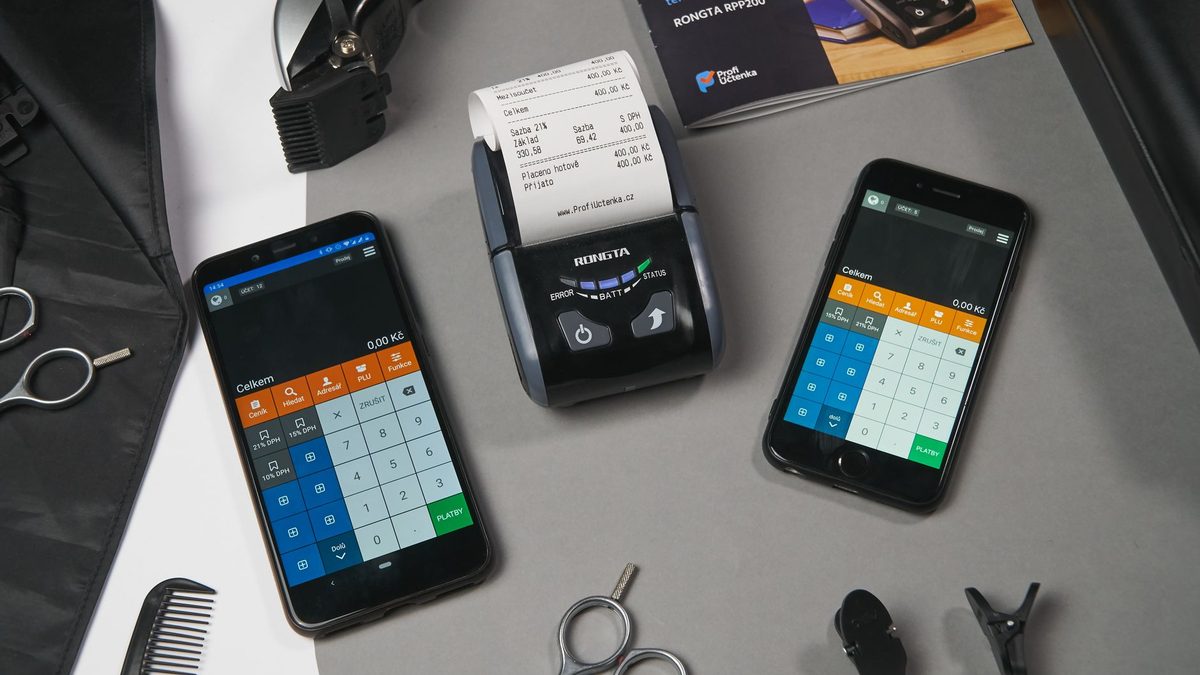
- Prints on the printers you already own. Confirm the model of your bill printer and kitchen printer, not just "thermal printers supported".
- GST-ready bills and reports. The invoice fields and monthly summary should match what your accountant asks for.
- KOT to kitchen and bar separately. Different stations should get only their own items.
- Easy menu edits. You should be able to change a price or mark an item unavailable in a minute, without calling support.
- UPI and split payments. Your customers pay by UPI, cash and card, often on the same bill.
- Staff roles and permissions. Waiters should not be able to delete a bill or give a discount that only you can approve.
- Reports you can read. Item-wise, day-wise and payment-wise totals, exportable for your accountant.
- Data export. If you leave the vendor, you should be able to take your menu and sales history with you.
- Support in your language and hours. A problem at 8 pm on a Saturday is the real test.
Score each point as pass, partial or fail for every product you shortlist. The scores will usually make the decision for you.
How should GST billing work inside the software?
Billing software should make GST routine, but it cannot decide your tax position for you. Whether you are on the regular scheme or the composition scheme changes what kind of document you issue, and the rules, rates and limits are updated from time to time, so confirm them with your chartered accountant and the current notices on the official GST portal.
One example of why this matters: CBIC's official FAQ on the composition levy says a composition taxpayer cannot issue a tax invoice and can issue a bill of supply instead, with the words "composition taxable person, not eligible to collect tax on supplies" at the top (the document itself is older, so check current rules). If your software prints a normal tax invoice for a composition dealer, that is a setup problem you want to catch before your first filing.
A second example comes from CBIC's sectoral FAQ page, where a restaurant question is answered by saying a tax invoice is issued for food while a bill of supply is issued for liquor. That page dates from around 2017 as well, but it shows why your software should keep different kinds of items on separate, correctly labelled lines.
Ask the vendor to show you, using your own menu:
- how the tax line appears on a dine-in bill, a takeaway bill and a delivery bill
- how bills are numbered and whether numbers can be skipped or edited
- how a cancelled or edited bill is recorded, not just deleted
- what the monthly GST summary looks like and how it reaches your accountant
- how orders from delivery apps are recorded, since the app and your restaurant may bill different parts of the same order
If the person demonstrating cannot answer these, that tells you how support will go later.
What does restaurant billing software cost, and what drives the price?
Vendors publish plans in very different ways, so a single number is rarely the full picture. Rather than quoting prices that change, here is what actually moves the total:
- Licence model: monthly or annual subscription, or a one-time purchase with yearly renewal for updates.
- Number of devices and billing points: many plans charge per device or per terminal.
- Number of outlets: each extra outlet is usually a separate fee.
- Modules: inventory, loyalty, online ordering and accounting links are often paid add-ons.
- Hardware: printers, a cash drawer, a tablet or a touch terminal, if you do not already own them.
- Setup and training: some vendors include menu entry and staff training, others charge for it.
- Payment and aggregator charges: check whether the vendor takes a fee on payments that pass through it.
Search results are full of "free restaurant billing software" and "free download" offers. Free tools can be fine to learn on, but check what is locked: usually reports, multiple devices, KOT printing or support. Ask for the total cost for 12 months for your exact setup, in writing, including hardware and setup.
What should you ask a vendor before you buy?
A demo shows the best day. These questions bring out the other days:
- What happens to my bills, my menu and my reports if I stop paying?
- Can I export my sales history, and in what format?
- What exactly works offline, and how does it sync afterwards?
- Which printers and devices are tested with your software?
- What are your support hours, and how do I reach a person?
- Do you charge per device, per outlet or per user, and what happens when I add one?
- How are updates delivered, and are they included?
- Who owns my data, and where is it stored?
- Can you show me a restaurant of my size that uses this, and can I speak to them?
Note the answers in a sheet, one row per vendor. Vague answers, such as "it depends" with no follow-up, are an answer too.
How do you test billing software during a trial?
Most vendors offer a demo or trial. Do not spend it clicking around. Use the trial to run your real restaurant in miniature:
- Enter your full menu with real prices, taxes and variants such as half and full portions.
- Bill 30 orders during an actual quiet shift: dine-in, takeaway and one split payment.
- Send KOTs to the real kitchen printer and ask the cook if the tickets are clear.
- Pull the cheap and ugly reports: the day's sales, the item list and the tax summary.
- Turn off the Wi-Fi for ten minutes and keep billing. Then turn it back on and check that nothing is lost or doubled.
- Hand it to your slowest staff member and note where they get stuck.
- Call support with one real question and time the reply.
If a product fails any of these during the trial, it will fail under pressure after you have paid.
What mistakes do owners make when buying billing software?
Most regrets come from the same few mistakes:
- Choosing on features, not fit. A long feature list you never use does not help the counter.
- Skipping the printer check. The software works, but your existing printer does not, and a new one is an extra cost.
- Trusting the demo. Demos run on perfect Wi-Fi with a tidy test menu.
- Ignoring staff training. The best tool fails if the cashier avoids it and goes back to paper.
- Not planning for a second outlet. Migrating later costs time and sometimes history.
- Forgetting exports. Locked-in data makes switching painful.
- Leaving GST setup to the vendor alone. Your accountant should look at a sample bill and a sample report before you go live.
What about the calls and WhatsApp messages your billing software does not handle?
Billing software handles the order and the bill. It does not pick up the phone when someone asks whether you have a table for six on Saturday, or whether you can host a small birthday. Those calls often arrive in the middle of service, when everyone is busy.
Anssay is not billing software, and it does not replace a POS. It is an AI receptionist for small businesses in India that run on appointments. Restaurants are not among the examples on the home page, so if you take reservations or event enquiries by phone, try it on the free trial and judge for yourself. In short:
- It answers calls, WhatsApp and website chat in English, Tamil and Hindi, day and night.
- It books into your calendar and hands anything tricky to you with the full context.
- You keep your own number, and the trial runs 14 days with no card needed.
- Plans on the pricing page start at Rs 2,999 a month for Chat and Rs 4,999 for Voice, excluding 18% GST, which comes to Rs 3,539 and Rs 5,899 with GST.
If you want to talk it through first, you can contact the team.