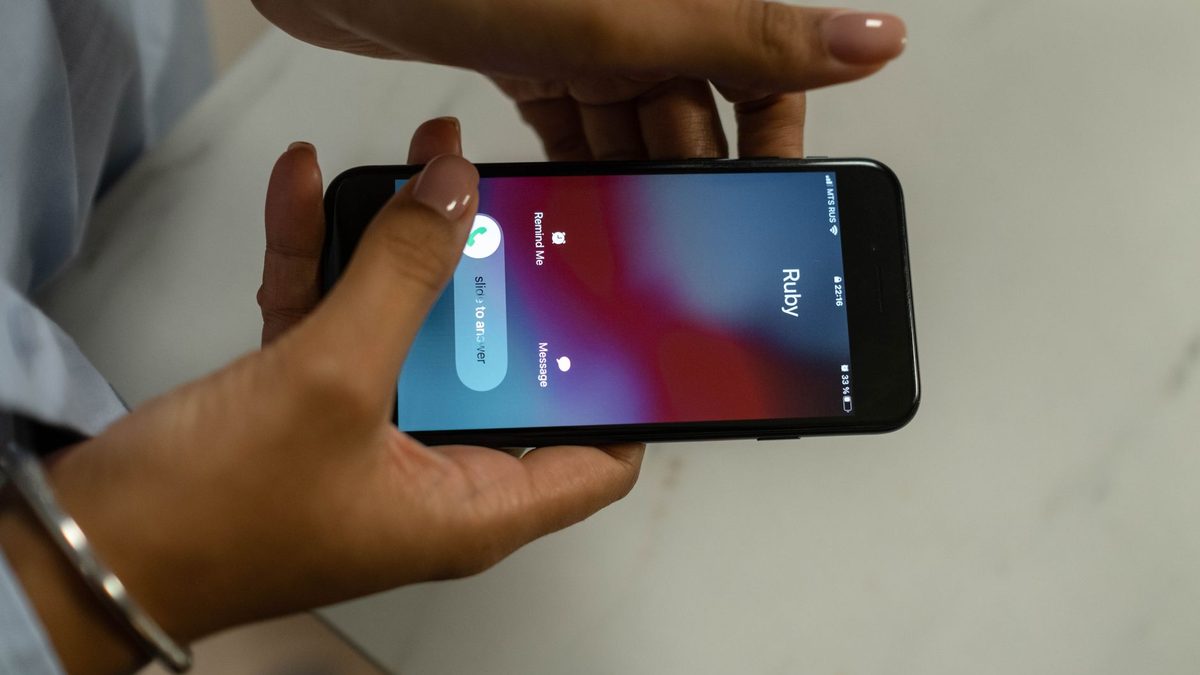
If you run a clinic, a PG, a salon or a tuition centre, the call you miss is usually the one that wanted to book. Call forwarding is the free phone feature that sends a call you cannot take to another number, and it takes a few minutes to set up on Jio, Airtel or Vi. This guide shows the four forwarding types, the codes and menus, how to check and cancel, and the mistakes that quietly break it.
What does it mean to forward missed calls?
Forwarding does not change your number. Customers still dial the number printed on your board, and the network decides where an unanswered call goes. Instead of ringing out, the call is handed to a second number you have chosen, such as a staff member's phone, a landline or a call-answering service.
The network can forward in four situations, and the names matter because you pick one or more of them:
- All calls (unconditional): every call goes to the other number and your phone never rings.
- When busy: the call is forwarded only if your line is engaged on another call.
- When not answered: the call rings on your phone first and is forwarded if you do not pick up.
- When unreachable: the call is forwarded if your phone is switched off or out of coverage.
Vi's help article describes busy as "your line is engaged" and unreachable as the phone being "switched off or out of coverage". It does not say how many rings "not answered" waits before forwarding, so test that on your own number.
Which forwarding type should a business use?
For most appointment businesses the best setup is three conditional types together: busy, not answered and unreachable. Your phone still rings for every call you can take, and only the calls you would otherwise lose move to the second number.
Use "all calls" only when you know nobody will be at the phone, for example during a closure, a holiday or a day away. If you leave it on by mistake, your own phone stops ringing completely, which is the most common reason owners think their phone is "not getting calls".
A simple rule of thumb:
- Everyday trading hours: busy, not answered and unreachable.
- Planned closure: all calls, then switch it off on the day you reopen.
- Phone off for the night: unreachable only, so calls still go somewhere.
What are the call forwarding codes for every operator?
Dial codes are the quickest method because they work from any phone's dialler. They come from a common mobile standard, defined by 3GPP in TS 22.030 (the activation form is *SC*number#, with SC the service code), so the same shapes appear across operators. Vi's help article on call forwarding codes lists them in full, and Airtel's pages confirm the all-calls set.
| What you want | Activate (replace the number) | Cancel | Check status |
|---|---|---|---|
| All calls | *21*<number># |
##21# |
*#21# |
| When busy | *67*<number># |
##67# |
*#67# |
| When not answered | *61*<number># |
##61# |
*#61# |
| When unreachable | *62*<number># |
##62# |
*#62# |
| Cancel every type at once | not applicable | ##002# |
not applicable |
The standard also allows a double-asterisk form, **21*<number>#, for registering a forward, and you will see it in many online guides. Both start the same process. These are standard codes, so confirm on your own operator's page that your plan accepts them, and use the app or settings method below if a code is rejected.
Type the code in the phone dialler exactly as shown, enter the full number, finish with the hash sign and press call. A confirmation message or tone should appear. If nothing appears, do not assume it worked; run the check code.
How do you set up Jio call forwarding?
Jio's call forwarding help page gives two routes, and both are free of cost according to the page, as long as you have an active plan.

From the handset:
- Open Settings, then Call, then Advance settings, then Call forwarding.
- Choose the type, enter the number and save. Jio notes that menu names differ between handsets.
From the MyJio app:
- Open MyJio and log in with your number.
- Go to Profile, then Mobile Settings, then Service Settings.
- Select Call Forwarding and choose Voice or Video.
- Pick the forwarding type and complete the SIM verification.
- Enter the 10-digit number to forward to and tap Continue.
Jio says the service activates immediately. It also says you can forward to mobile and landline numbers, but not to BSNL numbers, to your own Jio number or to international numbers. If your second number is a BSNL line, choose a different destination.
For switching off, Jio's separate help page lists short codes 402 for unconditional, 404 for no answer, 406 for busy, 410 for not reachable and *413 for all forwarding. It also gives the MyJio route, ending with Disable and a confirmation. If a label on your screen does not match, check Jio's help page, because menus change.
How do you set up Airtel call forwarding?
Airtel's call forwarding help article describes three methods: dial codes, the phone's call settings and the Airtel Thanks app.
Dial code: Airtel's article for unconditional forwarding says to dial the forwarding code followed by the number, with the country code if it is an international number, then wait for a confirmation message or tone. The article prints the activation without the closing hash sign, so compare it with the standard form in the table above, *21*<number>#, and do not rely on a code that gives no confirmation.
Airtel Thanks app:
- Open the app and log in to your Airtel account.
- Go to the call settings and find the forwarding options.
- Select a type: all calls, busy, unanswered or unreachable.
- Enter the number to forward to and save.
Airtel's pages give ##21# to cancel unconditional forwarding and *#21# to check it. The pages we read do not list the Airtel codes for the busy, unanswered and unreachable types, so for those use the Airtel Thanks app or check Airtel's help page rather than guessing a code.
How do you set up call forwarding on Vi?
Vi has the most complete guide of the three. Its help article lists the full set of codes shown in the table above and the same four conditions. After setting any type, Vi's article advises a test call and suggests activating forwarding before travel or long meetings.
If you prefer the settings route on Vi:
- Android: open the Phone app, tap the three-dot menu, then Settings. Go to Call settings, then Calling accounts, select your SIM, tap Call forwarding, choose a condition, enter the destination number and tap Enable.
- iPhone: open Settings, then Phone, then Call Forwarding. Turn it on and tap Forward To to enter the number. This screen forwards all calls, so it is suited to closures, not everyday use.
Vi gives no charge for forwarding on its page, apart from a warning that forwarding to an international number may cost extra.
What changes on a dual SIM phone?
Some owners keep the business number in one SIM slot and a personal number in the other. Forwarding belongs to a SIM, not to the phone, so you must change the right one.
On Android, use the per-SIM route, which removes any doubt about which line you are changing:
- Open the Phone app, then Settings, then Calling accounts.
- Choose the SIM that holds your business number, then tap Call forwarding.
- Afterwards, run the check code.
- Make a test call to that business number from a different phone.
How do you check if call forwarding is on?
Run the check code for each type you use, for example *#21# for all calls or *#67# for busy. Vi's article says the reply shows the forwarding number if it is active, or that the feature is disabled if it is not. Three checks are worth doing:
- Check codes: a forwarding icon in the status bar can help, but the check codes are more reliable.
- Live test: ask someone to call your business number from another phone while you decline the call or keep your line busy, and see whether the second number rings.
- Repeat it: test once after setup and again whenever you change a SIM, a phone or a plan.
How do you deactivate call forwarding?
If you want to know how to deactivate call forwarding, there are three routes:
- One type at a time: dial the cancel code from the table, such as
##67#for busy. - Everything at once: dial
##002#, which Vi lists as cancelling all forwarding types. Jio's page lists*413for all forwarding. - From the app or settings: go back to the Call forwarding screen and turn off or deselect each condition, then save.
After cancelling, run the check code again. A forward you forgot about can send customer calls to a number nobody is watching, so keep a note of what you set and when.
Does call forwarding cost anything?
Jio's help page says call forwarding is free of cost with an active plan. The operators differ slightly:
- Jio: free of cost with an active plan, as the help page states.
- Vi: the page lists no charge for ordinary forwarding but warns that forwarding to an international number may cost extra.
- Airtel: the postpaid article says charges can apply when you forward to long-distance or toll numbers, and the Airtel pages we read do not list a rate.
If you forward to a landline or a toll-free service, read your operator's tariff first. For anything not stated on an operator page, check your operator's help page or ask customer care.
What mistakes break call forwarding?
These are the ones to look for when forwarding "does not work":
- A mistyped number. One wrong digit sends calls to a stranger. Re-run the check code and read the number back.
- Forwarding to yourself. Jio does not allow forwarding to your own Jio number. Never point two phones at each other.
- Forwarding to a number that is also unattended. The call moves, but nobody answers it. This is the gap that call forwarding alone cannot close.
- Using unconditional forwarding and forgetting it. Your phone is silent until you cancel it.
- Setting only "busy". If the phone is off or has no signal, those calls need the unreachable type.
- Changing SIM or phone. Settings may not carry over, so re-check after any change. Jio also says forwarding depends on handset compatibility.
- Skipping the test call. Confirmation messages can be missed. A real test call takes a minute.
What happens after the call is forwarded?
Forwarding solves only half the problem. It moves the missed call somewhere, and then someone still has to answer, find out what the caller wanted and book the visit. If the second number is a staff phone, that person may also be with a patient or a customer.
Before you rely on forwarding, write down:
- Who the second number belongs to.
- Which hours they cover.
- What they will say when they answer.
- What happens to calls nobody picks up, such as a callback within a set time or a WhatsApp message to the caller.
Where does Anssay fit in?
Anssay's home page says it answers the calls you miss, keeps your existing number and your WhatsApp as yours, and that you forward calls when busy or unanswered. The site describes it as follows:
- It answers in English, Tamil and Hindi.
- It books into your calendar.
- It hands anything new to you with context.
The How it works section explains the flow on the site.
This post does not cover how forwarding is set up with Anssay for your account, because that is not described on the site, so ask via the contact page during the trial. Plans are listed on the pricing page: the Voice plan is Rs 4,999 a month excluding 18% GST, which is Rs 5,899 with GST, and there is a 14-day free trial with no card. If forwarding gets calls to a phone that nobody can answer, that is the gap an AI receptionist such as Anssay fills.